

Editors Vector
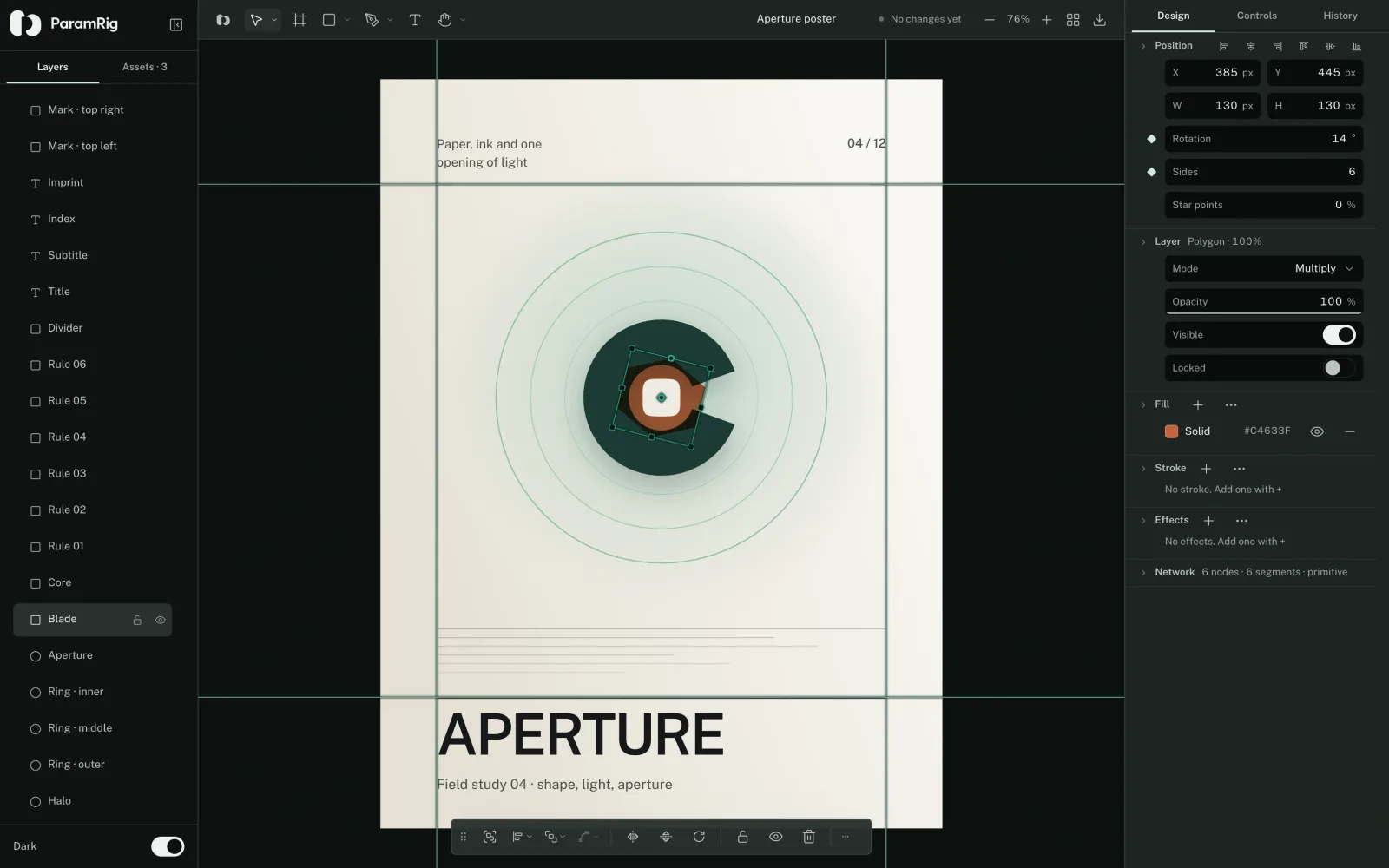
A vector editor, and the drawing keeps its controls.
Layers, frames, a pen with real node editing, boolean geometry, brushes and patterns, text on a path, gradient and mesh fills, guides and rulers, sRGB or Display P3, and export to SVG, PDF or PNG.
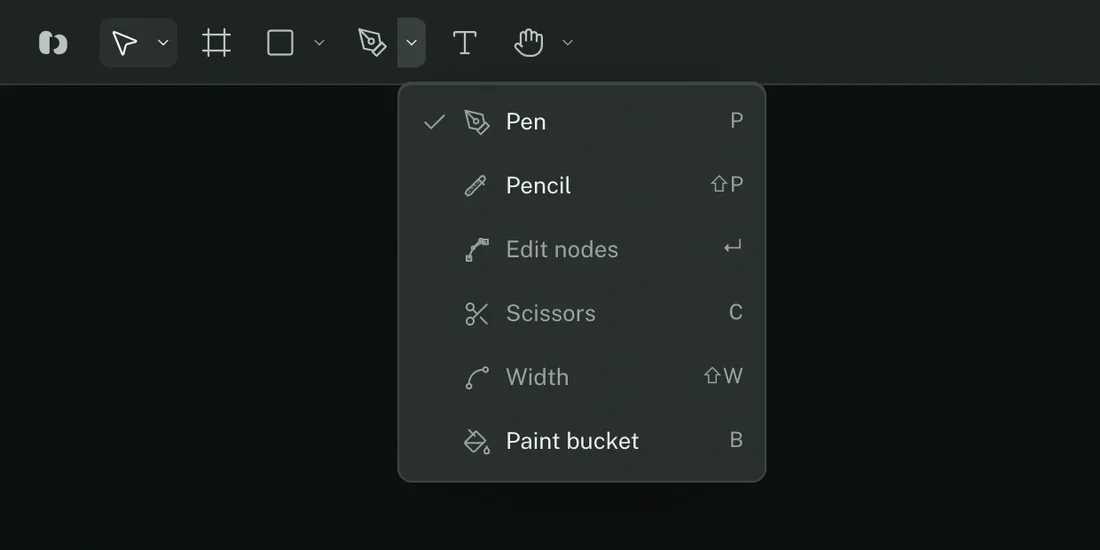
Six slots on the bar.
Select
Select V, Transform G / R / S, Scale K, Lasso Q
Frame
Frame F
Shapes
Rectangle R, Ellipse O, Line L, Polygon ⌥P, Star
Draw
Pen P, Pencil ⇧P, Edit nodes ↵, Scissors C, Width ⇧W, Paint bucket B
Text
Text T, on a path or inside a shape
Navigate
Hand H, Zoom Z, Measure ⇧M
What the inspector reaches.
Layers and assets
A tree you can reorder by dragging, with lock and hide on every row, and the document’s assets beside it.
Paint
Stacked fills and strokes. Solid, linear, radial, image, pattern and mesh, each with its own opacity and visibility.
Stroke
Alignment, caps, joins, dashes, arrowheads, a width profile along the path, and a brush stamped along it instead of a line.
Effects
Drop and inner shadows, layer blur and background blur, applied in the order they are listed.
Geometry
Booleans through planar regions, corner radius with smoothing, node editing, scissors, and tracing a bitmap into paths.
Page
Size, background, guides dragged out of the rulers, sRGB or Display P3, and saved export presets.
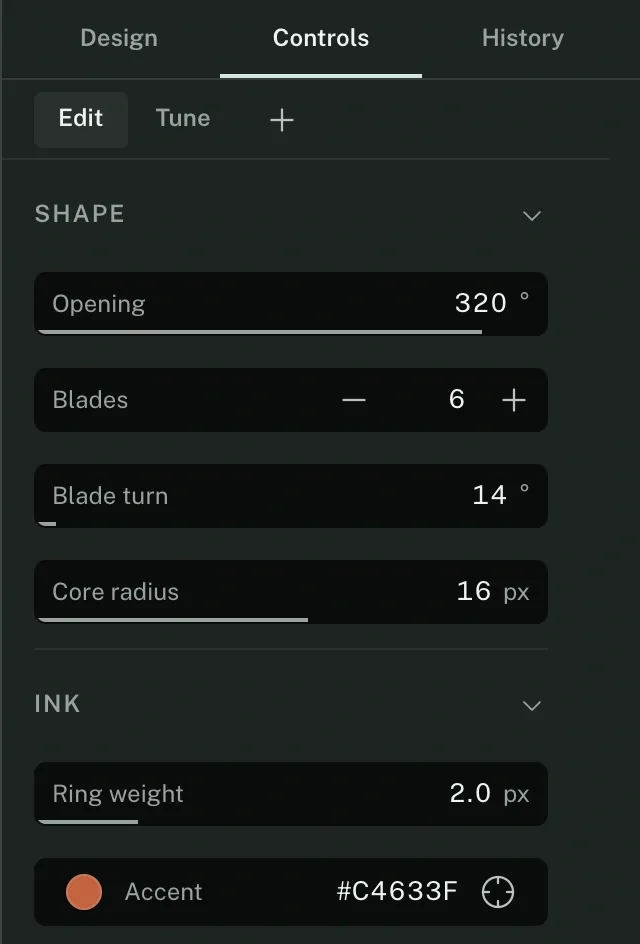
The diamond is the whole idea.
Beside a field in the inspector, ◆ says a control drives this property. The Controls tab is where that control gets its bounds, its label and its group.
Eight of them here: the opening of the aperture, the blade count and its turn, the core radius, the ring weight, the accent, the title size and its tracking. The drawing did not become a second file to get them.
Where it stops.
- Colors are stored as sRGB whichever space you read them in. Display P3 shows the same numbers in the wider space, on a screen that has one.
- Documents live in browser storage until you save one to disk as .paramrig.json.
- A path the binding parser does not recognise is refused, never guessed.
- Export writes SVG, PDF or PNG. It does not write back into your source.
The 3D editor is the same idea, in three dimensions.
An outliner, edit mode, sixteen modifiers, and a modifier that hands its own bounds to the control driving it.